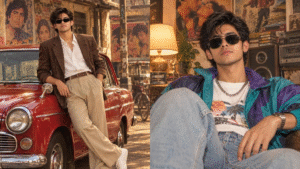
Old photo to new photo AI prompt is becoming one of the most searched topics because many people want to restore blurry, damaged, black-and-white, or faded family photos using AI tools. With the help of a good AI prompt, you can turn an old memory into a sharp, colorful, and realistic modern image in just a few seconds. Whether you use AI tools like ChatGPT, Midjourney, Leonardo AI, or Adobe Firefly, the quality of the prompt matters a lot.
I have personally tested many AI image prompts while restoring old family photographs and vintage village pictures. I noticed that simple prompts give average results, but detailed prompts create highly realistic and professional-looking restored photos. In this post, I will share the best old photo restoration AI prompts, tips, and examples that work well for most AI image generators.
What is an Old Photo to New Photo AI Prompt?
An old photo to new photo AI prompt is a text instruction given to an AI tool to improve, restore, colorize, or modernize an old image. These prompts help AI understand what type of restoration you want.
AI can improve:
- Blurry faces
- Torn or damaged photos
- Black-and-white pictures
- Faded colors
- Low-quality vintage images
- Scratches and dust marks
- Old passport-size photos
With the right prompt, AI can make an image look like it was taken with a modern HD camera.
Best Old Photo to New Photo AI Prompt
Here is a powerful AI prompt you can copy and use:
This prompt works well in most AI image tools.
AI Prompt for Black and White Photo Colorization
If you want to convert black-and-white photos into color images, use this prompt:
This type of prompt gives more natural color results instead of fake-looking colors.
AI Prompt for Damaged Photo Restoration
Many old photos have scratches, folds, and damaged corners. This prompt helps fix those issues:
Tips to Get Better AI Photo Restoration Results
After testing different AI image tools, I found these simple tips very useful:
Upload the Best Quality Old Photo
Even if the image is old, try to scan it clearly using a phone scanner app or scanner machine.
Use Detailed Prompts
Detailed prompts help AI understand exactly what you want. Add words like:
- Ultra realistic
- HD quality
- Natural colors
- Cinematic lighting
- Sharp focus
- Professional restoration
Keep Original Face Identity
Always mention “maintain original face identity” in your prompt. This prevents AI from changing the person’s face too much.
Use AI Upscaling
Some AI tools allow image upscaling. This increases image resolution and makes photos look sharper.
Best AI Tools for Old Photo Restoration
Here are some popular AI tools for restoring old photos:
Remini
One of the best mobile apps for enhancing blurry old photos quickly.
MyHeritage Photo Enhancer
Popular for restoring family and historical photographs.
Canva AI Photo Editor
Easy-to-use tool for beginners with AI enhancement features.
Fotor AI Photo Restorer
Good for repairing scratches and colorizing vintage images.
Picsart AI
Useful for mobile editing and AI photo enhancement.
Why AI Photo Restoration is Trending
AI photo restoration is becoming popular because people want to save old memories digitally. Many users restore:
- Grandparents’ photos
- Wedding albums
- Childhood pictures
- Historical images
- Old village photographs
Social media platforms like Instagram, Pinterest, and Facebook are also increasing interest in AI-restored vintage photos.
Conclusion
Old photo to new photo AI prompt helps transform damaged and blurry vintage pictures into beautiful modern HD images. With a detailed prompt and the right AI tool, you can restore family memories in just a few clicks. I personally found that adding realistic lighting, HD quality, and face enhancement instructions gives much better results. Whether you want to repair scratches, colorize black-and-white images, or create ultra-realistic restored photos, AI tools make the process fast and simple.
7 Best Gemini Couple Photo Prompts in Rain (Romantic & Cinematic Style)