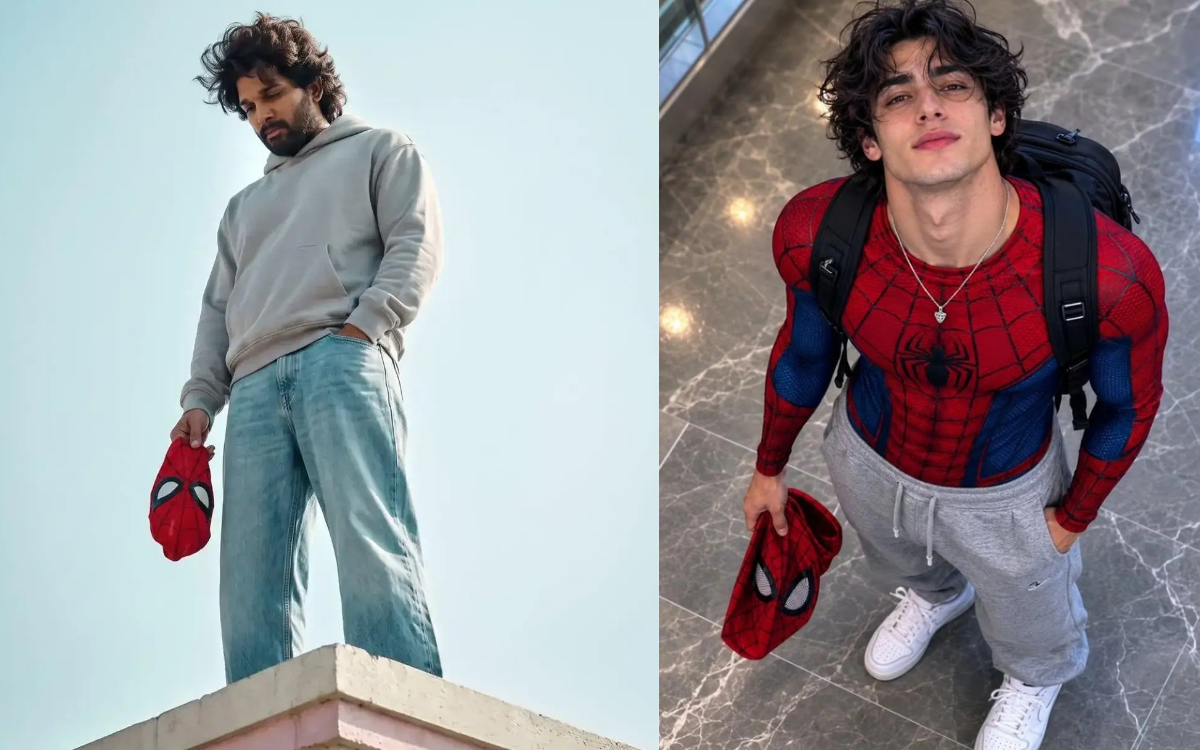
Discover the 3 best Spider-Man AI prompts to create ultra-realistic superhero portraits. Copy and paste these cinematic Spider-Man prompts to generate stunning AI images with your own face.
3 Best Spider-Man AI Prompts
Spider-Man AI portraits are one of the biggest AI image trends right now. With the right prompt, you can transform yourself into a realistic superhero while keeping your facial features natural and detailed. In this article, you’ll find three of the best Spider-Man AI prompts that are perfect for creating cinematic, movie-quality images.
Simply copy and paste your favorite prompt into your preferred AI image generator and upload your reference photo.
1. Spider-Man Rooftop Cinematic Portrait
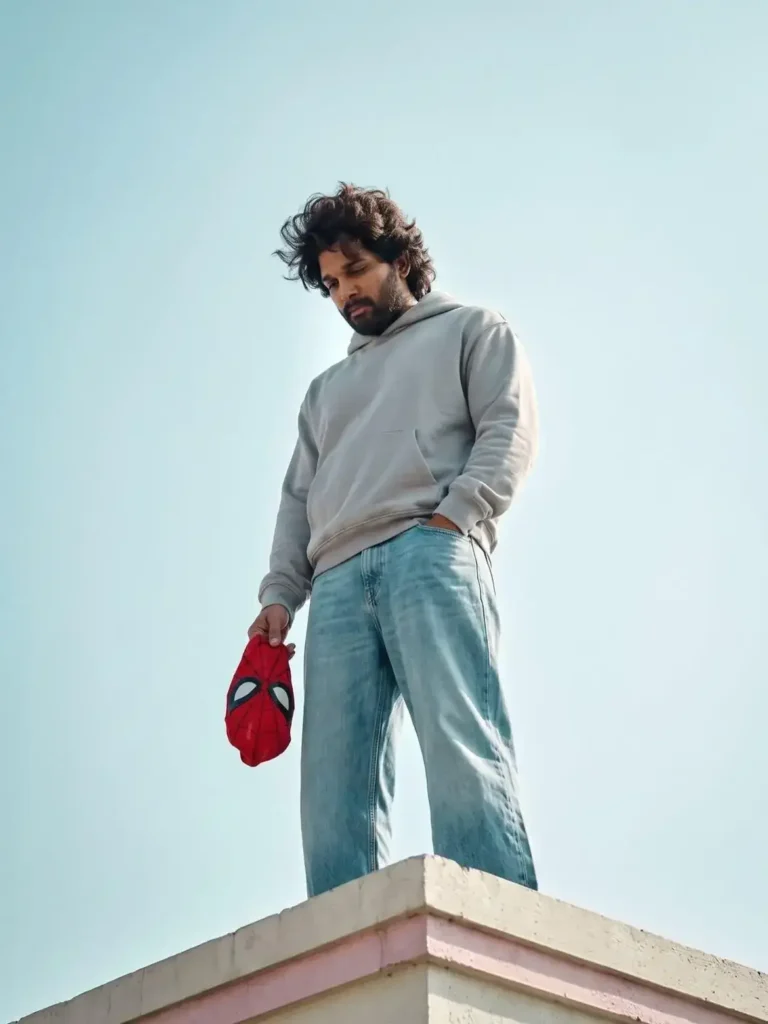
Create a dramatic rooftop portrait with golden-hour lighting and a realistic cinematic look.
AI Prompt
Create a full-body cinematic portrait of me standing on the edge of a rooftop, viewed from a low-angle perspective against a clean blue sky with soft clouds. Preserve my face 100% identical to the uploaded reference image with exact facial features, hairstyle, beard, and skin tone. I am wearing a light gray oversized hoodie, loose light-blue baggy jeans, and white sneakers. My left hand is in my pocket while my right hand casually holds a red Spider-Man mask by my side. My head is slightly bowed with a calm, thoughtful expression, looking downward. Natural golden-hour daylight, soft shadows, minimal background, ultra-realistic photography, 85mm lens, shallow depth of field, crisp details, realistic fabric textures, cinematic color grading, 8K HDR, vertical composition, Instagram portrait, 4:5 aspect ratio.
2. Spider-Man Overhead Portrait
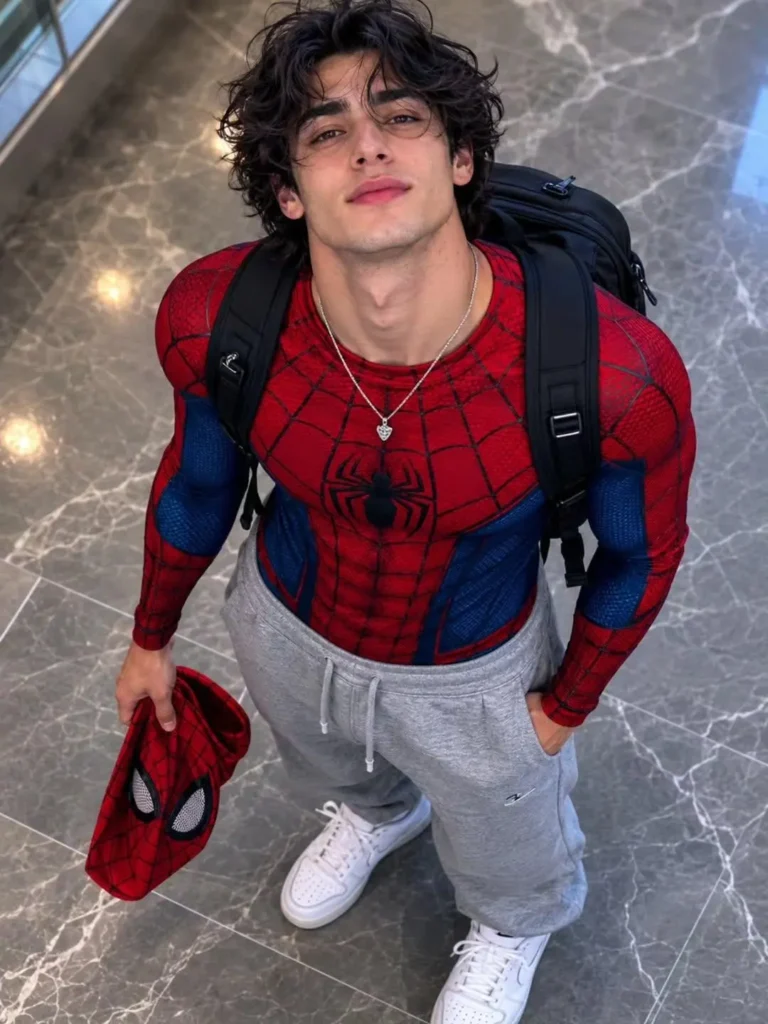
Generate a unique top-down Spider-Man portrait with premium DSLR-style quality and realistic details.
AI Prompt
Ultra-realistic overhead portrait photograph, shot from directly above. A person with long, wavy dark hair, facial features matching the reference images image on on elegant grey marble flooring, gazing straight up into the camera with a confident, natural expression. They wear a detailed red-and-blue Spider-Man textured athletic suit top, relaxed grey sweatpants, crisp white sneakers, and a black backpack. The Spider-Man mask is held loosely in their right hand witf hand remains casually tucked into a pocket. Professional photography, top-down perspective, realistic proportions, authentic skin detail, natural lighting, shallow depth of field, soft backgnd cinematic composition, premium DSLR camera, 50mm lens look, high dynamic range, realistic fabric texture, shahous, magazine-quality quiaadity portrait, photorealistic, ultra-detailed, 8K.
3. Spider-Man Movie Poster
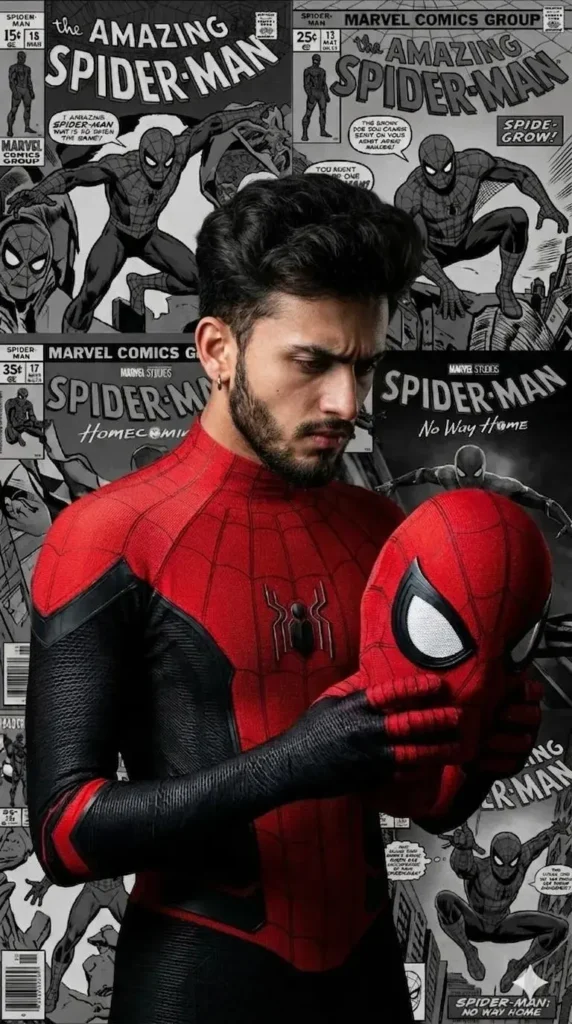
Turn yourself into a movie-style Spider-Man hero with dramatic studio lighting and a premium poster look.
AI Prompt
Vertical poster, 9:16. Center foreground: ultra-detailed, realistic boy my face as Spider-Man without face mask, in the red-and-black MCU suit, fine web pattern and hex-textured fabric, glossy black forearms, bright white eye lenses; head slightly bowed, looking down-left; arms folded with gloved hands clasped at chest; subtle heroic stance. Dramatic studio key light from above-left, soft rim from right; suit vivid scarlet while everything else is monochrome.
Tips for the Best Results
- Use a high-quality front-facing reference photo.
- Make sure your face is clearly visible with good lighting.
- Upload only one reference image unless your AI tool recommends otherwise.
- Do not modify the prompts if you want results similar to the examples.
- Generate the image in high resolution for the best quality.
Final Thoughts
These are the 3 best Spider-Man AI prompts for creating ultra-realistic superhero portraits. Whether you want a cinematic rooftop shot, a creative overhead portrait, or a movie-style poster, these prompts can help you create eye-catching AI images in just a few clicks. Copy your favorite prompt, upload your reference photo, and start creating your own Spider-Man masterpiece today.
FAQs
Which AI tool works best for these Spider-Man prompts?
Most modern AI image generators that support reference images can use these prompts.
Can I keep my original face in the image?
Yes. These prompts are designed to preserve your facial features when used with a clear reference photo.
Are these prompts beginner-friendly?
Yes. Simply copy, paste, and upload your reference image.
Can I post the generated images on Instagram?
Yes. The prompts are designed to create high-quality portraits suitable for social media sharing.