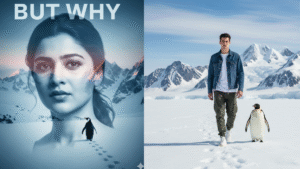
Are you looking for the best Sora 2 prompt for video generate? Sora 2 is a powerful AI tool that can turn simple text prompts into realistic videos. With the right prompts, you can create videos for social media, personal projects, or even professional presentations. The key is to write clear and detailed prompts so Sora 2 can understand your vision and produce high-quality results. In this guide, I will share the best 8 prompts, how to use Sora 2, and tips to get the most out of this amazing AI video generator.
I run aitrendwithme, a website that shares easy and practical guides about the latest AI tools. My goal is to help people use AI technology without any confusion. On my website, you will find tips, tricks, and examples for AI tools like Sora 2, ChatGPT, and DALL·E. I share personal experiences and simple explanations so beginners and professionals can both benefit. Here, I will guide you on how to use Sora 2 effectively with examples of prompts that generate realistic videos.
IN THIS ARTICLE
8 Best Sora 2 Prompt for Video Generate
- Futuristic City at Night
Use this prompt to create a lively futuristic city video.
Prompt Example: “A futuristic city at night with neon lights reflecting on wet streets. Flying cars move above skyscrapers. People walk with umbrellas, and fog adds a cinematic feeling.”
This prompt is clear and specific. It tells Sora 2 what the setting is, the time, and the atmosphere. - Magical Forest Adventure
Perfect for fantasy or fairy-tale videos.
Prompt Example: “A young explorer walks through a magical forest. Trees have glowing leaves, soft mist covers the ground, and small magical creatures peek behind the trees. Sunlight filters through the branches.”
Adding details like glowing leaves and mist helps Sora 2 generate a realistic fantasy video. - Cozy Winter Morning
Ideal for relaxing, warm scenes.
Prompt Example: “A warm room with a fireplace. A cup of steaming cocoa is on a wooden table. Snow falls gently outside the window. Soft light fills the room, creating a cozy and calm atmosphere.”
This kind of scene is perfect for social media content during the winter season. - Underwater Exploration
Great for nature and science videos.
Prompt Example: “A diver swims through a colorful coral reef with schools of fish. Sunlight filters through the clear blue water. Coral and fish move naturally, showing the beauty of underwater life.”
This prompt gives enough information about the environment and action for Sora 2 to generate a realistic video. - Fantasy Dragon Flight
Use this for adventure or fantasy storytelling.
Prompt Example: “A majestic dragon flies over a medieval kingdom. Castles, forests, and rivers appear below. The dragon’s scales shine in sunlight, and clouds move around it. The scene looks magical and cinematic.”
Details about the dragon, landscape, and lighting help Sora 2 understand what to show in the video. - Cyberpunk Alleyway
Perfect for futuristic and urban videos.
Prompt Example: “A rainy cyberpunk alley with neon signs flickering. A person in a glowing coat walks through puddles. Steam rises from vents, and small robots move in the background.”
Adding elements like rain, neon lights, and robots creates a visually engaging scene. - High-Speed Sports Car Chase
Great for action and dynamic videos.
Prompt Example: “A red sports car races through mountain roads. A helicopter follows from above. Tires screech, and dust rises from the road. The scene looks cinematic and thrilling.”
Action-focused prompts work well if you describe movement and camera perspective. - Time-Lapse of a Blooming Flower
Ideal for nature or educational videos.
Prompt Example: “A close-up of a flower bud slowly blooming. Morning sunlight falls on the petals, and dew glistens. The flower opens completely in several seconds, showing nature’s beauty.”
This prompt is simple but clear, allowing Sora 2 to generate a smooth time-lapse video.
How to Use Sora 2 for Video Generation
Using Sora 2 is simple and does not require technical skills. Follow these steps:
- Open Sora 2: Log in to your account on the official platform.
- Type Your Prompt: Write your Sora 2 prompt for video generate in the text box. Be clear and specific about the scene, characters, or actions.
- Select Video Settings: Choose the video style, length, or resolution if needed.
- Generate the Video: Click “Generate” and wait for a few seconds. Sora 2 will process your prompt and create a video.
- Preview and Download: Watch the video and download it if satisfied. You can also refine your prompt to improve results.
Tips for Better Results:
- Be descriptive but simple. Include colors, objects, and movements.
- Use action words to show motion in the scene.
- Experiment with lighting, weather, and camera angles.
- Keep prompts under 100 words for better clarity.
Why Sora 2 Prompts Work
Sora 2 relies on well-written prompts to generate realistic videos. The more details you provide, the more accurate the video output will be. Focus on the environment, objects, characters, and emotions to guide Sora 2. Using the right prompts saves time and produces professional-quality results, even if you are a beginner.
Example of a Good Prompt:
“An astronaut walks on a rocky planet with orange skies. A spaceship lands nearby, and stars shine in the background. The scene looks cinematic with soft lighting and realistic textures.”
This is a strong prompt because it includes:
- Characters: astronaut
- Action: walking
- Setting: rocky planet, spaceship, orange sky
- Visual details: cinematic lighting, realistic textures
Conclusion
Creating videos with Sora 2 is an exciting way to bring your ideas to life. By using the best Sora 2 prompt for video generate, you can produce cinematic scenes, fantasy worlds, underwater explorations, and more. The 8 prompts shared in this guide are a great starting point, but you can modify and experiment to create unique videos.
For more tips, examples, and guides about AI tools, visit my website aitrendwithme. I share simple and practical tutorials to help everyone use AI effectively. Sora 2 makes video generation easy and fun, and with the right prompts, anyone can create high-quality videos.