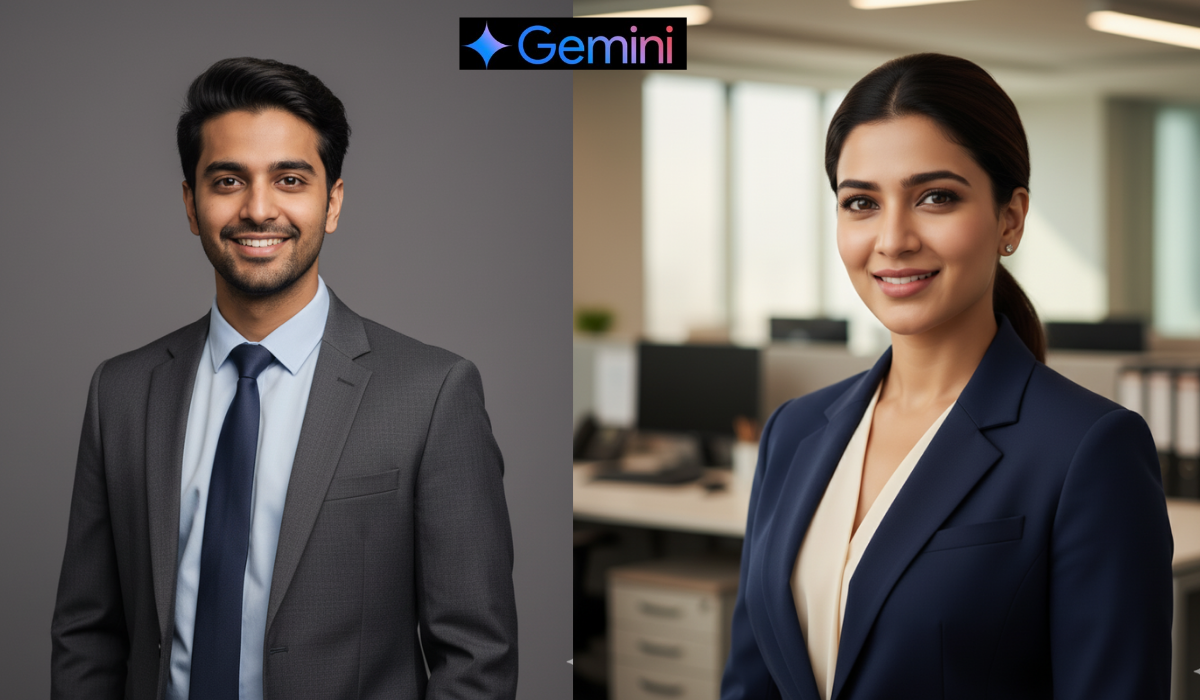
Best 10 AI prompt for LinkedIn profile picture helps you create a professional photo without a camera or studio. You just upload your image, use the right prompt, and AI will generate a clean, confident, and 100% face-matching photo — perfect for your LinkedIn profile.
I have used many AI tools to test how they create profile pictures. After trying all, I can say Gemini AI gives the most natural and best results among all tools I used.
IN THIS ARTICLE
What is AI Prompt for LinkedIn Profile Picture?
An AI prompt for LinkedIn profile picture is a short text you write to tell AI how your photo should look.
It includes your outfit style, background, and lighting details.
AI then uses your uploaded image to create a perfect professional photo that looks just like you.
Why You Need a Professional LinkedIn Photo
A good LinkedIn profile picture helps you build trust and make a strong first impression.
People are more likely to connect and talk to you if your photo looks confident and professional.
AI tools can help you do that easily at home, with just one clear image.
Best 10 AI Prompts for LinkedIn Profile Picture
Here are 10 unique and attractive prompts you can use. Each prompt keeps your face 100% same and gives you a smart professional look.
1. Classic Corporate Look
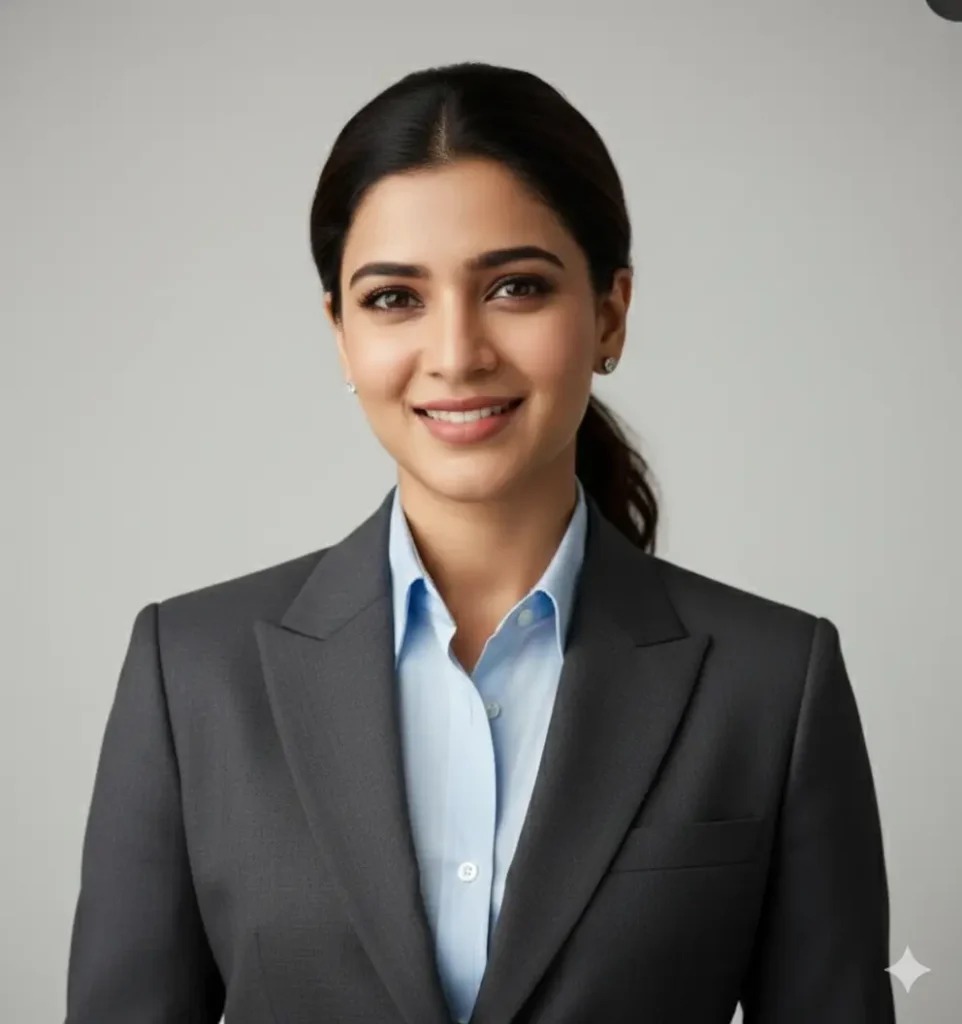
Create a professional LinkedIn profile photo using your uploaded image, keeping 100% face match.
Wear formal office clothes, use a clean white or gray background, soft lighting, confident smile, and natural office look.
2. Modern Business Portrait

Generate a realistic LinkedIn-style portrait using your uploaded image.
Wear a smart blazer, background looks like an office, natural light on your face, and show confidence and approachability.
3. Startup Founder Vibe

Create a portrait that gives a young founder look.
Wear a casual blazer over a T-shirt, modern office background, bright lighting, confident smile, and clean professional tone.
4. Minimalist Studio Headshot

Make a studio-style LinkedIn headshot with your uploaded image.
Use plain gray background, formal outfit, sharp focus, clean lighting, and friendly expression.
5. Outdoor Natural Look

Generate a natural-looking LinkedIn photo.
Background with greenery or modern buildings, outdoor sunlight, relaxed posture, and genuine smile.
6. Executive Leadership Portrait
Create an executive-level LinkedIn headshot.
Wear a formal suit, use a blurred office skyline background, confident pose, and warm lighting tone.
7. Creative Industry Style
Make a creative professional photo with a colorful gradient background.
Stylish outfit, modern lighting, and confident look — perfect for creative fields.
8. Tech Professional Aesthetic
Generate a tech-inspired LinkedIn profile picture.
Smart casual shirt, background with blurred monitors or computers, clean light, and confident smile.
9. Business Casual Profile
Create a casual yet professional photo.
Wear simple business-casual clothes, café or coworking space background, and natural expression in daylight.
10. Confident Speaker Style
Make a LinkedIn-style portrait that looks like you are giving a speech.
Formal outfit, blurred stage background, confident face, and inspiring vibe.
How to Make LinkedIn Profile Picture Using AI
You can easily make a LinkedIn profile picture using AI by following these steps:
- Select an AI tool – Many tools are available, but Gemini AI gives the most natural and real results.
- Upload your photo – Choose a photo with good lighting and clear face.
- Copy a prompt from above – Pick the one that fits your job or style.
- Paste the prompt in AI – Type or paste the prompt into the AI generator.
- Generate and download – Wait a few seconds, and your professional LinkedIn photo will be ready.
Why I Prefer Gemini AI for Profile Pictures
I have used many AI tools like Midjourney, Leonardo AI, and Canva AI, but I found Gemini AI is the best for making LinkedIn profile pictures.
It keeps your face 100% real and natural, gives clean background, smooth light, and makes your photo look professional.
Tips to Get Best LinkedIn AI Photo
- Always use a clear and high-quality image.
- Avoid selfies with heavy shadows.
- Keep a simple outfit (shirt, blazer, or formal top).
- Choose a light background for a professional touch.
- Try different prompts and see which suits your face the best.
Conclusion
Using an AI prompt for LinkedIn profile picture is one of the easiest ways to get a professional photo in minutes.
You don’t need an expensive camera or photographer — just upload your photo, use one of these 10 prompts, and let Gemini AI do the rest.
Your new profile photo will help you look confident, professional, and ready for new opportunities on LinkedIn.